class: center, middle, inverse, title-slide .title[ # Peeking Inside the ‘Black Box’ ] .subtitle[ ## Post-Hoc Interpretability ] .author[ ### Brandon M. Greenwell ] .institute[ ### 84.51°/University of Cincinnati ] .date[ ### R-Ladies Utrecht: 2023-03-06 ] --- ## Shameless plug...📦/📚 <img src="images/books.png" width="100%" /> --- ## Good resources * [Interpretable Machine Learning: A Guide for Making Black Box Models Explainable](https://christophm.github.io/interpretable-ml-book/) - Christoph Molnar is also the creator of the well-known [iml package](https://cran.r-project.org/package=iml) * In-progress [article](https://github.com/bgreenwell/rjournal-shapley) on Shapley explanations for [*The R Journal*](https://journal.r-project.org/) - Consider contributing 😄 * [Explanatory Model Analysis: Explore, Explain, and Examine Predictive Models. With examples in R and Python](https://ema.drwhy.ai/) - Authors associated with the [DALEX](https://github.com/ModelOriented/DALEX) ecosystem for IML --- ## Agenda Post-hoc methods/packages to help comprehend various aspects of any fitted model: * feature importance via [vip](https://journal.r-project.org/archive/2020/RJ-2020-013/index.html) * feature effects via [pdp](https://journal.r-project.org/archive/2017/RJ-2017-016/index.html) * feature contributions via [fastshap](https://github.com/bgreenwell/fastshap) Plenty of others R 📦s available as well! For example, [iml](https://cran.r-project.org/package=iml) and [DALEX](https://cran.r-project.org/package=DALEX) For a somewhat recent overview, see [Landscape of R packages for eXplainable Artificial Intelligence](https://arxiv.org/pdf/2009.13248.pdf) --- ## CoIL data challenge The two goals of the CoIL challenge were: 1. to build a model from the 5,822 training records and use it to find the top 20% of customers in the test set who are most likely to own caravan insurance policies and 2. to provide insight into why some customers have caravan insurance policies and how they differ from other customers. Source: https://liacs.leidenuniv.nl/~puttenpwhvander/library/cc2000/ --- ## CoIL data challenge ```r # Load insurance company data from CoIL Challenge 2000 data(ticdata, package = "kernlab") # Split into train/test (same splits used in challenge) tic.trn <- ticdata[1:5822, ] tic.tst <- ticdata[-(1:5822), ] # Class frequencies (tab <- table(tic.trn$CARAVAN)) ``` ``` ## ## noinsurance insurance ## 5474 348 ``` ```r proportions(tab) # similar to test data; ~ 16:1 ratio ``` ``` ## ## noinsurance insurance ## 0.94022673 0.05977327 ``` --- ## Variable importance * For a more in-depth overview, see [Greenwell and Boehmke (2020)](https://journal.r-project.org/archive/2020/RJ-2020-013/index.html) * Four our purposes, think of variable importance (VI) as the ".green[...extent to which a feature has a 'meaningful' impact on the predicted outcome.]" * A more formal definition can be found in [van der Laan (2006)](https://www.degruyter.com/document/doi/10.2202/1557-4679.1008/html?lang=en) * We'll discuss several types of VI methods: - model-specific (e.g., decision trees) - variance-based measures; see [Greenwell et. al., 2018](https://arxiv.org/abs/1805.04755) - permutation importance - Aggregated Shapley values --- class: middle, center # Why the vip 📦? 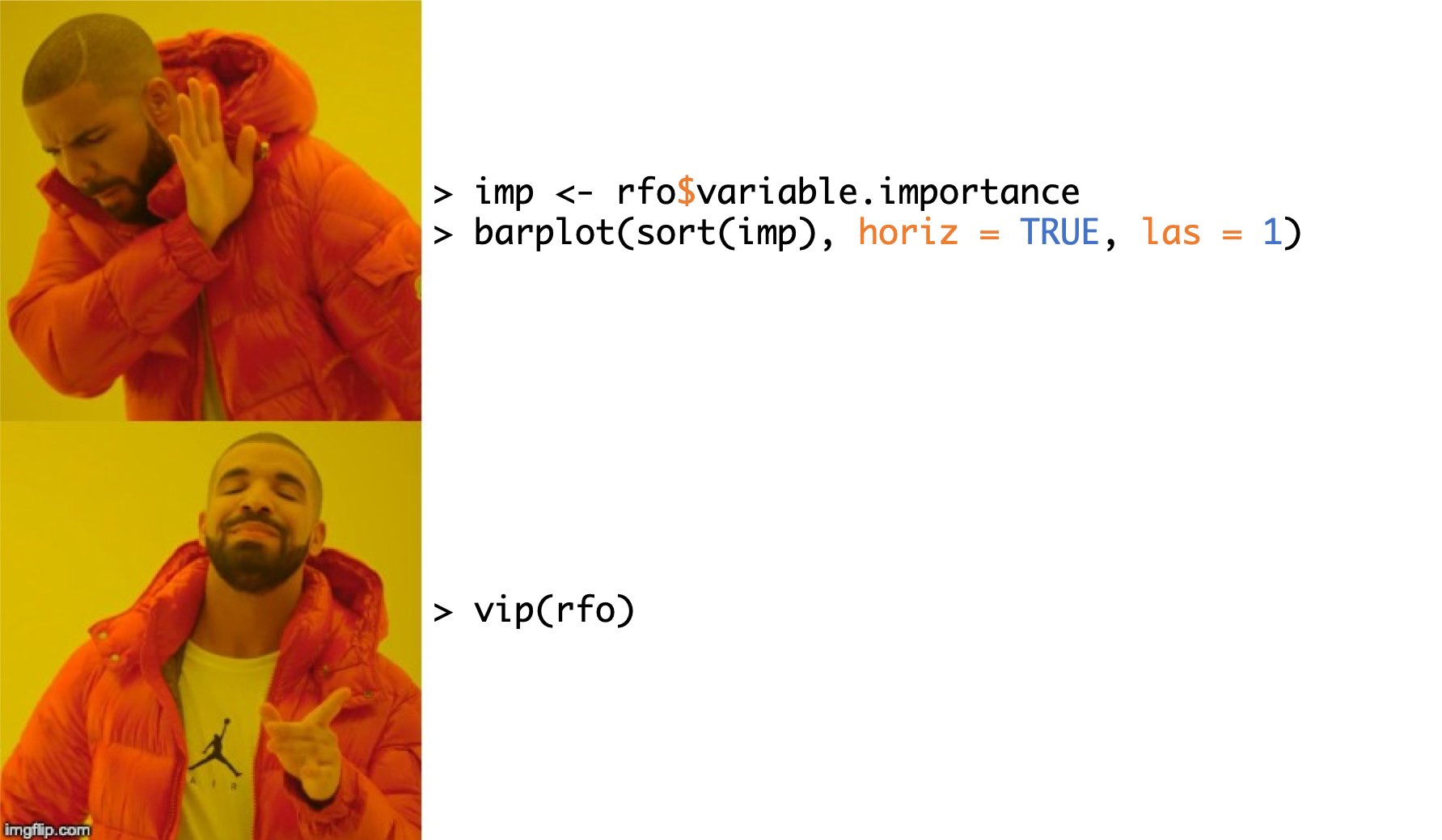 --- ## Model-specific VI scores Examples of model classes where "natural" measures of variable importance exist: * Decision trees and tree-based ensembles - **One of the best methods, IMO**: [GUIDE](https://pages.stat.wisc.edu/~loh/guide.html) for VI scoring/ranking; check out [Loh and Zhou (2022)](https://jds-online.org/journal/JDS/article/1250/info) for the deets * Works for a wide range of response types * Missing values * Interaction effects * And the list goes on... * Generalized linear models (e.g., standardized coefficients or test statistics) * Neural networks (e.g., Garson's method and Olden's method) * Multivariate adaptive regression splines (MARS) Check out the [vip paper](https://journal.r-project.org/archive/2020/RJ-2020-013/index.html) for examples in R! --- ## CoIL challenge: random forest ```r library(ranger) # Fit some (default) probability forests with different VI measures set.seed(926) # for reproducibility tic.rfo1 <- ranger(CARAVAN ~ ., probability = TRUE, data = tic.trn, importance = "impurity") (tic.rfo2 <- ranger(CARAVAN ~ ., probability = TRUE, data = tic.trn, importance = "impurity_corrected")) ``` ``` ## Ranger result ## ## Call: ## ranger(CARAVAN ~ ., probability = TRUE, data = tic.trn, importance = "impurity_corrected") ## ## Type: Probability estimation ## Number of trees: 500 ## Sample size: 5822 ## Number of independent variables: 85 ## Mtry: 9 ## Target node size: 10 ## Variable importance mode: impurity_corrected ## Splitrule: gini ## OOB prediction error (Brier s.): 0.05436326 ``` --- ## CoIL challenge: random forest ```r library(patchwork) library(vip) vip(tic.rfo1, include_type = TRUE) + vip(tic.rfo2, include_type = TRUE) ``` <img src="slides_files/figure-html/ticdata-rfos-vips-1.svg" width="80%" style="display: block; margin: auto;" /> --- ## Permutation importance Permutation importance is .tomato[any measure of how much *worst* a model's predictions are after randomly permuting a particular feature column]. <img src="images/permutation-importance-01.png" style="width: 90%" /> -- <img src="images/permutation-importance-02.png" style="width: 90%" /> --- ## Permutation importance .center.medium[**A simple algorithm for constructing permutation VI scores**] Let `\(X_1, X_2, \dots, X_j\)` be the features of interest and let `\(\mathcal{M}_{orig}\)` be the baseline performance metric for the trained model; for brevity, we'll assume smaller is better (e.g., classification error or RMSE). The permutation-based importance scores can be computed as follows: 1. For `\(i = 1, 2, \dots, j\)`: a. Permute the values of feature `\(X_i\)` in the training data. b. Recompute the performance metric on the permuted data `\(\mathcal{M}_{perm}\)`. c. Record the difference from baseline using `\(vi\left(X_i\right) = \mathcal{M}_{perm} - \mathcal{M}_{orig}\)`. 2. Return the VI scores `\(vi\left(X_1\right), vi\left(X_2\right), \dots, vi\left(X_j\right)\)`. Do this many times for each feature and average the results! --- ## Why permutation-based importance? .font120[ * *Model-agnostic* (.blue[can be applied to any algorithm]) - Makes it easier to compare across models (🍎 vs. 🍎) * Easily parallelized * Readily available ([scikit-learn](https://scikit-learn.org/stable/modules/permutation_importance.html), **Data.dodgerblue[Robot]**, [vip](https://cran.r-project.org/package=vip), etc.) - There are several implementations in R, including [vip](https://cran.r-project.org/package=vip), [iml](https://cran.r-project.org/package=iml), [ingredients](https://cran.r-project.org/package=ingredients), and [mmpf](https://cran.r-project.org/package=mmpf) - The implementations in [scikit-learn](https://scikit-learn.org/stable/modules/permutation_importance.html), [vip](https://cran.r-project.org/package=vip), and [iml](https://cran.r-project.org/package=iml) are parallelized 😎 ] --- class: middle, center ## Why the vip 📦? Based on **100 repeats** of permutation importance using a random forest fit to a training set with **10k rows** and **10 features** <img src="images/benchmark-vip.png" style="width: 90%" /> --- ## Friedman 1 benchmark example Consider the following regression model: `\begin{equation} Y_i = 10 \sin\left(\pi X_{1i} X_{2i}\right) + 20 \left(X_{3i} - 0.5\right) ^ 2 + 10 X_{4i} + 5 X_{5i} + \epsilon_i, \quad i = 1, 2, \dots, n, \end{equation}` where `\(\epsilon_i \stackrel{iid}{\sim} N\left(0, \sigma^2\right)\)`. ```r trn <- vip::gen_friedman(500, sigma = 1, seed = 101) # simulate training data tibble::as_tibble(trn) # inspect output ``` ``` ## # A tibble: 500 × 11 ## y x1 x2 x3 x4 x5 x6 x7 x8 x9 x10 ## <dbl> <dbl> <dbl> <dbl> <dbl> <dbl> <dbl> <dbl> <dbl> <dbl> <dbl> ## 1 14.9 0.372 0.406 0.102 0.322 0.693 0.758 0.518 0.530 0.878 0.763 ## 2 15.3 0.0438 0.602 0.602 0.999 0.776 0.533 0.509 0.487 0.118 0.176 ## 3 15.1 0.710 0.362 0.254 0.548 0.0180 0.765 0.715 0.844 0.334 0.118 ## 4 10.7 0.658 0.291 0.542 0.327 0.230 0.301 0.177 0.346 0.474 0.283 ## 5 17.6 0.250 0.794 0.383 0.947 0.462 0.00487 0.270 0.114 0.489 0.311 ## 6 18.3 0.300 0.701 0.992 0.386 0.666 0.198 0.924 0.775 0.736 0.974 ## 7 14.6 0.585 0.365 0.283 0.488 0.845 0.466 0.715 0.202 0.905 0.640 ## 8 17.0 0.333 0.552 0.858 0.509 0.697 0.388 0.260 0.355 0.517 0.165 ## 9 8.54 0.622 0.118 0.490 0.390 0.468 0.360 0.572 0.891 0.682 0.717 ## 10 15.0 0.546 0.150 0.476 0.706 0.829 0.373 0.192 0.873 0.456 0.694 ## # … with 490 more rows ``` --- ## Friedman 1 benchmark example (PPR) ```r # Projection pursuit regression fit pp <- ppr(y ~ ., data = trn, nterms = 11) # Use 10 Monte Carlo reps set.seed(403) # for reproducibility vis <- vi(pp, method = "permute", target = "y", metric = "rsquared", pred_wrapper = predict, nsim = 15) vip(vis, geom = "boxplot") ``` <img src="slides_files/figure-html/permute-friedman-nn-result-1.svg" width="60%" style="display: block; margin: auto;" /> --- ## Friedman 1 benchmark example (RF) Most IML-related R packages are .purple[**flexible enough to handle ANY fitted model**]! For example: ```r # Fit a default random forest rfo <- ranger::ranger(y ~ ., data = trn) # Prediction wrapper pfun <- function(object, newdata) { predict(object, data = newdata)$predictions } # Mean absolute error mae <- function(actual, predicted) { mean(abs(actual - predicted)) } # Permutation-based VIP with user-defined MAE metric set.seed(1101) # for reproducibility vip(rfo, method = "permute", target = "y", metric = mae, smaller_is_better = TRUE, pred_wrapper = pfun, nsim = 10, geom = "point", all_permutations = TRUE, jitter = TRUE) + theme_bw() ``` --- ## Friedman 1 benchmark example (RF) <img src="slides_files/figure-html/friedman1-rf-results-1.svg" width="100%" style="display: block; margin: auto;" /> --- ## Friedman 1 benchmark example (RF) ```r # FIRM-based VI scores with sparklines vi(rfo, method = "firm", pred_wrapper = pfun) %>% add_sparklines() ``` <div id="htmlwidget-1ccf2a19950cef6ae30f" style="width:100%;height:auto;" class="datatables html-widget"></div> <script type="application/json" data-for="htmlwidget-1ccf2a19950cef6ae30f">{"x":{"filter":"none","vertical":false,"data":[["1","2","3","4","5","6","7","8","9","10"],["x4","x2","x1","x5","x3","x8","x7","x10","x6","x9"],["2.261","1.605","1.486","1.079","0.560","0.073","0.054","0.044","0.041","0.023"],["10.94199105131,11.0641095444497,11.1032251909091,11.1719487253105,11.2377970206038,11.3003895923118,11.3510130546868,11.5582836877991,11.7263474069538,11.8655057177701,11.9668110559807,12.0364436491328,12.09481488807,12.1041454650202,12.1459320105808,12.1817515820402,12.2264038150752,12.3102928435764,12.3884802107932,12.8325326928442,13.0078120885658,13.4573965192252,13.6540974654747,13.7503901138927,13.7919964979767,13.9718920687885,14.0938331579786,14.1446496406143,14.1936931716442,14.3244437558895,14.7261298338495,14.8294951551606,14.8408232373724,15.4779629185683,15.9904978189716,16.0520301642315,16.138080769608,16.2599935075677,16.2858773032625,16.3871537025575,16.5250483731179,16.6240815210257,16.949033834928,17.1769323367912,17.3129645701092,17.3669522137501,17.3893598012032,17.5110491023254,17.5659867552666,17.6172460806109,17.7544101467628","11.0939902110902,11.1924621844457,11.536117020635,11.6058833900354,11.7031915893377,11.7566229731873,11.8443630562637,12.0086149951252,12.0602756041235,12.1095330759121,12.221297665742,12.4867888541726,13.1280060131392,13.4284984706862,13.6156371994495,13.8786983695245,14.124339891884,14.3275352365116,14.5156163032853,14.7208534862266,14.8174933021813,14.8814617509936,15.0024173397899,15.218674466313,15.2895242679489,15.3350551121786,15.3872415089395,15.4292288090765,15.4693761724041,15.5065891882459,15.5676440915414,15.595265313029,15.6297124040142,15.6370106357986,15.6705652118782,15.70342591366,15.7107103593643,15.7386011721604,15.7337766371913,15.7580556929331,15.7785027588709,15.7703592010599,15.7814706853012,15.7563151946887,15.7458498149254,15.7530211189128,15.7813085780335,15.6992648623759,15.5841148860908,15.5500123140672,15.4314142628712","11.3400634164334,11.5222802519994,11.616223163413,11.6589312236329,11.7144144465139,11.7982860912263,12.0087466320445,12.1861733331663,12.2503562801825,12.3934397686317,12.4692434396642,12.8853968059846,13.0617016875358,13.1462721012901,13.2155583916358,13.3362858992851,13.5688411117217,13.7667346106388,13.8778239478725,13.9353500679662,14.2775766925474,14.6929084106253,14.9123344748142,14.9665198543171,15.0309353977973,15.14370919164,15.2291621906457,15.266352616371,15.2916078173144,15.3082912541432,15.327228585479,15.3402154791566,15.3907965777418,15.4089220865305,15.4725417653152,15.5580091472415,15.5809576812025,15.5908602284111,15.5800829558234,15.5729503421396,15.5486517638155,15.5269332970836,15.5144026492724,15.5195087608444,15.5139058435602,15.4963925206774,15.5045227427898,15.6384002357476,15.6848045838894,15.6624112962093,15.6573928039184","12.9230843382911,12.93044218357,12.950008958065,12.949400725889,12.9361163006504,12.9549409153171,12.990984013045,13.0098362600152,13.0770180829876,13.1049181713942,13.1655792593725,13.2261662328633,13.2811436598023,13.3273673706617,13.414979460206,13.510621460846,13.5790490755201,13.6356600982891,13.6513286264194,13.7114759649685,13.8788102345095,13.9152673541809,14.0753282868391,14.2887575788577,14.3577943615169,14.4424231668318,14.4875623946061,14.5287854166503,14.6475167058117,14.7961345685193,14.8974311986361,14.9676458508509,15.0646811630152,15.2312456438823,15.3160768565876,15.423373854131,15.4937559985487,15.5556101278867,15.5954932018279,15.614493025765,15.6499782367544,15.6666395308018,15.6610550368426,15.6637695646079,15.6832389366166,15.6821979388064,15.6897606025645,15.6910101062458,15.7581597653699,15.8614045267305,15.7672045562252","15.1503190975019,15.1275948183099,15.0428017816933,14.92883819129,14.8758020071046,14.8102863796739,14.5872678590123,14.4907282245631,14.3429967541403,14.2721556733024,14.2146101106395,14.1807751845977,14.127199351559,14.0540500662688,14.0106860967759,13.9838123878015,13.9336039291946,13.9136271724545,13.8739119945007,13.8392766393538,13.8122959542574,13.7914024642024,13.777155519245,13.7727645377837,13.7694858303882,13.7587922233091,13.7598351671659,13.7719581930457,13.7707289739342,13.7685364719533,13.7768369945131,13.8053543908758,13.8708448012883,13.9308435862939,13.9990519890268,14.0438793472146,14.212325462908,14.3283821057856,14.4272984394201,14.5041452997646,14.5460105469028,14.6193284550288,14.6776700632052,14.7516804773003,14.8367800510512,14.906236813756,15.0036470392557,15.1739377275557,15.5720682424206,15.5958726213915,15.7975808406528","14.5136566406923,14.4843961557725,14.4842301141221,14.5128875668547,14.5042578443875,14.49749194181,14.4490225450484,14.3635798412613,14.3484089144616,14.3374630113429,14.3303312603044,14.3295465850069,14.3256233702155,14.3256997988235,14.3218548239664,14.3162994455217,14.3155666826779,14.3173022818966,14.29789971959,14.2701925269734,14.2636294653225,14.2574075730209,14.2805080607639,14.2947401041008,14.3033821671282,14.3035504630162,14.3086635930557,14.3100615319964,14.3013421331235,14.2812932046009,14.2812574244754,14.2871596393776,14.2812581551222,14.2781596404824,14.2744438977555,14.2886589410964,14.2928236020069,14.2915024129351,14.2890302435133,14.2854497692138,14.273708926045,14.2662323775035,14.274259347794,14.2602164298841,14.2594211371147,14.2595772062233,14.2762952396417,14.2784154991866,14.298263450503,14.300639585818,14.3248268252993","14.4173478948267,14.4235853010365,14.4638314123709,14.4498215259298,14.416828656048,14.4215924919631,14.4104418848733,14.353803584458,14.304633934057,14.3199298880574,14.3067111821151,14.2938732111841,14.2846261674776,14.2825400393825,14.287697715611,14.2926873216789,14.3009061624309,14.3016545873461,14.3062248507838,14.3098576950949,14.3094742385633,14.3036364510463,14.2982593309139,14.2954698845128,14.3013581699382,14.2866914217255,14.2838405465756,14.2820962232627,14.2677179762718,14.2605476365966,14.2676925377843,14.2700086599828,14.2740540274105,14.2871658811859,14.2882526055787,14.2942333502481,14.2873839112632,14.2924118079004,14.2955716063122,14.2956821814988,14.3011120681396,14.3252773196001,14.3398893377269,14.3477745132137,14.3452131655973,14.3465814570535,14.3444356944957,14.354821970309,14.3434215989847,14.4110854525046,14.4373017933755","14.4299848262618,14.4880829217961,14.3314016804189,14.2611647176166,14.2421878227963,14.2409479846342,14.2483036298335,14.2500285193997,14.2611911504748,14.2731115357167,14.2938669603645,14.3129127752009,14.3121903696414,14.311299182075,14.2980122917334,14.2922738762554,14.2910995148304,14.2826352452098,14.2877406620298,14.2868716990022,14.3136125547267,14.3300478868237,14.3406174728969,14.345006750221,14.3477636135199,14.3473251478533,14.3464448350112,14.3458425770221,14.3464598839234,14.3470025769069,14.3450844267608,14.3394893359434,14.3289579103347,14.3149844723227,14.3093593355026,14.3115265312128,14.306889725832,14.3057107569036,14.3019599347255,14.3100252770714,14.3088211401786,14.3127758744285,14.3136885978812,14.3165967222931,14.311881844035,14.3096310190906,14.3079195617073,14.3206705852178,14.3561620338134,14.3962732864843,14.3729866210937","14.348539507346,14.3528824385537,14.3556870726289,14.3335313188806,14.3395892679888,14.3246606646908,14.330417749276,14.3321210708093,14.3312623643818,14.342412744453,14.3488569542331,14.3256952873119,14.3366994956834,14.3481373110368,14.3545660961182,14.348100629436,14.3436421769478,14.3412254241622,14.3409130707942,14.3458220536747,14.3518658975152,14.3543757439962,14.3488090953751,14.3452406019185,14.3507237601417,14.3503031285319,14.3516923944968,14.3478306743115,14.3445161828609,14.3412069719533,14.3348711023927,14.3274184199188,14.3317893884935,14.3351089402727,14.3336563980299,14.3275708401503,14.3295317702794,14.3198350389966,14.3226912627495,14.3246643562438,14.3170656071098,14.3197088003768,14.328960703332,14.3011155147364,14.2822848072572,14.2376761355807,14.2326740701152,14.218258451233,14.228600543519,14.2047646570052,14.1979562357032","14.3252763123106,14.2888005216829,14.2830142445951,14.2747222987017,14.2803507492743,14.2924902718935,14.2943377198428,14.3145645199213,14.3209387982863,14.3248658345043,14.3303792460637,14.3390261032551,14.3512602209402,14.349519720623,14.3355129279829,14.3362575174788,14.3290301820965,14.3337754705077,14.3303511941866,14.326203906705,14.3241588016503,14.3282506264313,14.3304343439293,14.3310095746104,14.3324650684104,14.3271357252401,14.324337824277,14.3270588125676,14.3317310243129,14.3277769211637,14.3213886560471,14.3309738397197,14.3324620977234,14.3283462299741,14.3272218559988,14.3345790340191,14.3321173976319,14.3263014623583,14.3343574028995,14.3378821485411,14.3355291680372,14.3218694997926,14.3153703159111,14.3203401016846,14.3041666122558,14.297559289313,14.2714953298852,14.2615432161711,14.2661332343323,14.2704037202465,14.2807018830414"]],"container":"<table class=\"display\">\n <thead>\n <tr>\n <th> <\/th>\n <th>Variable<\/th>\n <th>Importance<\/th>\n <th>Effect<\/th>\n <\/tr>\n <\/thead>\n<\/table>","options":{"columnDefs":[{"targets":3,"render":"function(data, type, full){\n return '<span class=spark>' + data + '<\/span>'\n }"},{"orderable":false,"targets":0}],"fnDrawCallback":"function (oSettings, json) {\n $('.spark:not(:has(canvas))').sparkline('html', {\n type: 'line',\n highlightColor: 'orange',\n chartRangeMin: 10.94199105131,\n chartRangeMax: 17.7544101467628\n });\n }","order":[],"autoWidth":false,"orderClasses":false}},"evals":["options.columnDefs.0.render","options.fnDrawCallback"],"jsHooks":[]}</script> --- ## Permutation importance .pull-left[ ## Drawbacks * Should you use the train or test data set for permuting? * Requires access to the true target values * Results are random (due to random shuffling of columns) * Correlated features lead to *extrapolating* 😱 ] .pull-right[ ## Alternatives * *Leave-one-variable-out* (LOVO) importance * Conditional variable importance 🌲 * Dropped variable importance * Permute-and-relearn importance * Condition-and-relearn importance ] .center.font150[[Please Stop Permuting Features: An Explanation and Alternatives](https://arxiv.org/abs/1905.03151)] --- ## PDPs in a nutshell 🥜 * A plot showing the .tomato[*marginal* (or average) effect] of a small subset of features (usually one or two) .tomato[on the predicted outcome] 📉 - The PDP for the `\(j\)`-th feature `\(x_j\)` .blue[shows how the average prediction changes as a function of] `\(x_j\)` (the average is taken across the training set, or representative sample thereof) * Can help determine if the modeled relationship is nearly linear, nonlinear, monotonic, etc. * .red[Can be misleading in the presence of strong *interaction effects*] 😱 - .green[*Individual conditional expectation* (ICE) curves], a slight modification to PDPs, don't share this disadvantage - **think of ICE curves as a marginal effect plot for individual observations**, one curve for each row in the training data --- ## How are PDPs constructed (algorithm view 🤮)? Constructing a PDP in practice is rather straightforward. To simplify, let `\(\boldsymbol{z}_s = x_1\)` be the predictor variable of interest with unique values `\(\left\{x_{11}, x_{12}, \dots, x_{1k}\right\}\)`. The partial dependence of the response on `\(x_1\)` can be constructed as follows: * For `\(i \in \left\{1, 2, \dots, k\right\}\)`: 1. Copy the training data and replace the original values of `\(x_1\)` with the constant `\(x_{1i}\)`. 2. Compute the vector of predicted values from the modified copy of the training data. 3. Compute the average prediction to obtain `\(\bar{f}_1\left(x_{1i}\right)\)`. * Plot the pairs `\(\left\{x_{1i}, \bar{f}_1\left(x_{1i}\right)\right\}\)` for `\(i = 1, 2, \dotsc, k\)`. .font150.center[.tomato[Rather straightforward to implement actually!] 💻] --- ## CoIL challenge: GUIDE-based VI scores ``` ## # A tibble: 8 × 3 ## Type Score Variable ## <chr> <dbl> <chr> ## 1 A 2.41 PPERSAUT ## 2 A 2.17 PBRAND ## 3 A 1.92 PPLEZIER ## 4 A 1.82 APERSAUT ## 5 A 1.60 MOSHOOFD ## 6 A 1.55 APLEZIER ## 7 A 1.46 MKOOPKLA ## 8 A 1.42 STYPE ``` --- ## CoIL challenge: PD plots ```r library(ggplot2) library(pdp) # PD and c-ICE plots p1 <- partial(tic.rfo1, pred.var = "APERSAUT") p2 <- partial(tic.rfo1, pred.var = "APERSAUT", ice = TRUE, center = TRUE, # for c-ICE plots * train = tic.trn[sample.int(500), ]) # DON'T PLOT THEM ALL!! # Display plots (autoplot(p1) + theme_bw() | autoplot(p2, alpha = 0.1) + theme_bw()) / ggplot(tic.trn, aes(x = APERSAUT)) + geom_bar() + theme_bw() ``` --- ## CoIL challenge: PD plots <img src="slides_files/figure-html/coil-rf-pd-results-1.svg" width="100%" style="display: block; margin: auto;" /> --- ## PD plots using simple SQL operations See [pdp issue (#97)](https://github.com/bgreenwell/pdp/issues/97) ```r # Load required packages library(dplyr) library(pdp) library(sparklyr) data(boston, package = "pdp") sc <- spark_connect(master = 'local') boston_sc <- copy_to(sc, boston, overwrite = TRUE) rfo <- boston_sc %>% ml_random_forest(cmedv ~ ., type = "auto") # Define plotting grid df1 <- data.frame(lstat = quantile(boston$lstat, probs = 1:19/20)) %>% copy_to(sc, df = .) # Remove plotting variable from training data df2 <- boston %>% select(-lstat) %>% copy_to(sc, df = .) ``` --- ## PD plots using simple SQL operations ```r # Perform a cross join, compute predictions, then aggregate! par_dep <- df1 %>% full_join(df2, by = character()) %>% # Cartesian product (i.e., cross join) ml_predict(rfo, dataset = .) %>% group_by(lstat) %>% summarize(yhat = mean(prediction)) %>% # average for partial dependence select(lstat, yhat) %>% # select plotting variables arrange(lstat) %>% # for plotting purposes collect() # Plot results plot(par_dep, type = "l") ``` <img src="images/spark-pd-plot.png" width="50%" style="display: block; margin: auto;" /> --- ## PDPs and ICE curves .pull-left[ ### Drawbacks * PDPs for more than one feature (i.e., .blue[visualizing interaction effects]) can be computationally demanding * Correlated features lead to *extrapolating* * [Please Stop Permuting Features: An Explanation and Alternatives](https://arxiv.org/abs/1905.03151) ] .pull-right[ ### Alternatives * ["Poor man's" PDPs](https://github.com/bgreenwell/pdp/issues/91); historically available in package [plotmo](https://cran.r-project.org/package=plotmo) and now available in [pdp](https://cran.r-project.org/package=pdp) (version >= 0.8.0) * [Accumulated local effect (ALE) plots](https://arxiv.org/abs/1612.08468) * [Stratified PDPs](https://arxiv.org/abs/1907.06698) * Shapley-based dependence plots ] --- ## Explaining individual predictions * While discovering which features have the biggest *overall* impact on the model is important, it is often more informative to determine: .center.MediumSeaGreen[Which features impacted a specific set of predictions, and how?] * We can think of this as *local* (or *case-wise*) *variable importance* - More generally referred to as *prediction explanations* or .magenta[*feature contributions*] * Many different flavors, but we'll focus on (arguably) the most popular: .dodgerblue[*Shapley explanations*] --- ## Shapley explanations For an arbitrary observation `\(\boldsymbol{x}_0\)`, Shapley values provide a measure of each feature values contribution to the difference `$$\hat{f}\left(\boldsymbol{x}_0\right) - \sum_{i = 1}^N \hat{f}\left(\boldsymbol{x}_i\right)$$` * Based on [Shapley values](https://en.wikipedia.org/wiki/Shapley_value), an idea from *game theory* 😱 * Can be computed for all training rows and aggregated into useful summaries (e.g., variable importance) * The only prediction explanation method to satisfy several useful properties of .dodgerblue[*fairness*]: 1. Local accuracy (efficiency) 2. Missingness 3. Consistency (monotonicity) --- ## So, what's a Shapley value? -- In .forestgreen[*cooperative game theory*], the Shapley value is the average marginal contribution of a .forestgreen[*player*] across all possible .forestgreen[*coalitions*] in a .forestgreen[*game*] [(Shapley, 1951)](https://www.rand.org/content/dam/rand/pubs/research_memoranda/2008/RM670.pdf): `$$\phi_i\left(val\right) = \frac{1}{p!} \sum_{\mathcal{O} \in \pi\left(p\right)} \left[\Delta Pre^i\left(\mathcal{O}\right) \cup \left\{i\right\} - Pre^i\left(\mathcal{O}\right)\right], \quad i = 1, 2, \dots, p$$` -- .pull-left[ <img src="https://media.giphy.com/media/3o6MbbwX2g2GA4MUus/giphy.gif?cid=ecf05e471n8c85mbtirkm0ra4x4qa8ezo2idws6ag4f2rvtw&rid=giphy.gif&ct=g" style="width: 80%" /> ] .pull-right[ .font90[ In the context of predictive modeling: * .dodgerblue[**Game**] = prediction task for a single observation `\(\boldsymbol{x}_0\)` * .dodgerblue[**Players**] = the feature values of `\(\boldsymbol{x}_0\)` that collaborate to receive the *gain* or *payout* * .dodgerblue[**Payout**] = prediction for `\(\boldsymbol{x}_0\)` minus the average prediction for all training observations (i.e., baseline) ] ] --- ## Approximating Shapley values .purple[**For the programmers**], implementing approximate Shapley explanations is rather straightforward [(Strumbelj et al., 2014)](https://dl.acm.org/doi/10.1007/s10115-013-0679-x): .center[ <img src="images/shapley-algorithm.png" style="width: 100%" class="center" /> ] --- class: middle A poor-man's implementation in R... ```r sample.shap <- function(f, obj, R, x, feature, X) { phi <- numeric(R) # to store Shapley values N <- nrow(X) # sample size p <- ncol(X) # number of features b1 <- b2 <- x for (m in seq_len(R)) { * w <- X[sample(N, size = 1), ] # randomly drawn instance * ord <- sample(names(w)) # random permutation of features * swap <- ord[seq_len(which(ord == feature) - 1)] * b1[swap] <- w[swap] * b2[c(swap, feature)] <- w[c(swap, feature)] * phi[m] <- f(obj, newdata = b1) - f(obj, newdata = b2) } mean(phi) } ``` --- class: middle ## Enter...**fastshap** * Explaining `\(N\)` instances with `\(p\)` features would require `\(2 \times m \times N \times p\)` calls to `\(\hat{f}\left(\right)\)` * [fastshap](https://cran.r-project.org/package=fastshap) reduces this to `\(2 \times m \times p\)` - Trick here is to generate all the "Frankenstein instances" up front, and score the differences once: `\(\hat{f}\left(\boldsymbol{B}_1\right) - \hat{f}\left(\boldsymbol{B}_2\right)\)` * Logical subsetting! (http://adv-r.had.co.nz/Subsetting.html) - It's also parallelized across predictors (not by default) - Supports Tree SHAP implementations in both the [xgboost](https://cran.r-project.org/package=xgboost) and [lightgbm](https://cran.r-project.org/package=lightgbm) packages (.dodgerblue[woot!]) - ~~*Force plots* via [reticulate](https://rstudio.github.io/reticulate/) (works in R markdown): https://bgreenwell.github.io/fastshap/articles/forceplot.html~~ --- class: middle ## Simple benchmark Explaining a single observation from a [ranger](https://cran.r-project.org/web/packages/ranger/index.html)-based random forest fit to the well-known [titanic](https://cran.r-project.org/package=titanic) data set. <img src="slides_files/figure-html/unnamed-chunk-1-1.svg" width="90%" style="display: block; margin: auto;" /> --- class: middle ### Example: understanding survival on the Titanic .scrollable.code70[ ```r library(ggplot2) library(ranger) library(fastshap) # Set ggplot2 theme theme_set(theme_bw()) # Read in the data and clean it up a bit titanic <- titanic::titanic_train features <- c( "Survived", # passenger survival indicator "Pclass", # passenger class "Sex", # gender "Age", # age "SibSp", # number of siblings/spouses aboard "Parch", # number of parents/children aboard "Fare", # passenger fare "Embarked" # port of embarkation ) titanic <- titanic[, features] titanic$Survived <- as.factor(titanic$Survived) *titanic <- na.omit(titanic) # ...umm? ``` ] --- class: middle ### Example: understanding survival on the Titanic .scrollable.code70[ ```r # Fit a (default) random forest set.seed(1046) # for reproducibility rfo <- ranger(Survived ~ ., data = titanic, probability = TRUE) # Prediction wrapper for `fastshap::explain()`; has to return a # single (atomic) vector of predictions pfun <- function(object, newdata) { # computes prob(Survived=1|x) predict(object, data = newdata)$predictions[, 2] } # Estimate feature contributions for each imputed training set X <- subset(titanic, select = -Survived) # features only! set.seed(1051) # for reproducibility *(ex.all <- explain(rfo, X = X, nsim = 100, adjust = TRUE, pred_wrapper = pfun)) ``` ``` ## # A tibble: 714 × 7 ## Pclass Sex Age SibSp Parch Fare Embarked ## <dbl> <dbl> <dbl> <dbl> <dbl> <dbl> <dbl> ## 1 -0.0416 -0.180 -0.00314 0.0135 -0.0110 -0.0405 -0.0196 ## 2 0.165 0.267 -0.0156 0.00123 0.00162 0.123 0.0339 ## 3 -0.118 0.224 0.0144 0.0226 -0.00727 -0.0312 -0.0208 ## 4 0.150 0.297 0.00748 -0.00627 0.00268 0.128 -0.0101 ## 5 -0.0387 -0.161 -0.0328 0.0132 -0.00480 -0.0660 -0.00403 ## 6 0.0483 -0.197 -0.119 -0.00203 -0.00290 0.0724 -0.0120 ## 7 -0.0848 -0.0931 0.225 -0.161 0.0170 -0.0675 -0.00867 ## 8 -0.106 0.267 0.0493 0.0368 0.0616 0.0215 -0.00420 ## 9 0.0781 0.316 0.0434 0.000517 -0.000561 0.0166 0.0507 ## 10 -0.108 0.140 0.249 -0.0110 0.0423 0.0459 -0.00547 ## # … with 704 more rows ``` ] --- class: middle ### Example: understanding survival on the Titanic Plotting functions to be replaced with [shapviz](https://CRAN.R-project.org/package=shapviz)!! .scrollable.code70[ ```r p1 <- autoplot(ex.all) p2 <- autoplot(ex.all, type = "dependence", feature = "Age", X = X, color_by = "Sex", alpha = 0.5) + theme(legend.position = c(0.8, 0.8)) gridExtra::grid.arrange(p1, p2, nrow = 1) ``` <img src="slides_files/figure-html/titanic-shap-all-plots-1.svg" width="80%" style="display: block; margin: auto;" /> ] --- class: middle ### Example: understanding survival on the Titanic Explaining an individual row (i.e., passenger); inspiration for this example taken from [here](https://modeloriented.github.io/iBreakDown/articles/vignette_iBreakDown_titanic.html). .pull-left[ Meet Jack: .scrollable.code70[ ```r # Explain an individual passenger jack.dawson <- data.frame( # Survived = factor(0, levels = 0:1), # in case you haven't seen the movie Pclass = 3, Sex = factor("male", levels = c("female", "male")), Age = 20, SibSp = 0, Parch = 0, Fare = 15, # lower end of third-class ticket prices Embarked = factor("S", levels = c("", "C", "Q", "S")) ) ``` ] ] .pull-right[ <img src="images/jack.jpg" width="100%" style="display: block; margin: auto;" /> ] --- class: middle ### Example: understanding survival on the Titanic .scrollable.code70[ ```r (pred.jack <- pfun(rfo, newdata = jack.dawson)) ``` ``` ## 1 ## 0.08406581 ``` ```r (baseline <- mean(pfun(rfo, newdata = X))) ``` ``` ## [1] 0.4068224 ``` ```r # Estimate feature contributions for Jack's predicted probability set.seed(754) # for reproducibility (ex.jack <- explain(rfo, X = X, newdata = jack.dawson, nsim = 1000, adjust = TRUE, pred_wrapper = pfun)) ``` ``` ## # A tibble: 1 × 7 ## Pclass Sex Age SibSp Parch Fare Embarked ## <dbl> <dbl> <dbl> <dbl> <dbl> <dbl> <dbl> ## 1 -0.0689 -0.143 -0.0340 0.00847 -0.0152 -0.0497 -0.0206 ``` ] --- class: middle ### Example: understanding survival on the Titanic <img src="slides_files/figure-html/titanic-jack-ex-plot-1.svg" width="100%" style="display: block; margin: auto;" /> --- class: middle ### Example: understanding anomalous credit card transactions https://www.kaggle.com/mlg-ulb/creditcardfraud .scrollable.code70[ ```r library(fastshap) library(ggplot2) library(isotree) # Set ggplot2 theme theme_set(theme_bw()) # Read in credit card fraud data ccfraud <- data.table::fread("data/ccfraud.csv") # Randomize the data set.seed(2117) # for reproducibility ccfraud <- ccfraud[sample(nrow(ccfraud)), ] # Split data into train/test sets set.seed(2013) # for reproducibility trn.id <- sample(nrow(ccfraud), size = 10000, replace = FALSE) ccfraud.trn <- ccfraud[trn.id, ] ccfraud.tst <- ccfraud[-trn.id, ] ``` ] --- class: middle ### Example: understanding anomalous credit card transactions Anomaly detection via [isolation forest](https://en.wikipedia.org/wiki/Isolation_forest) .scrollable.code70[ ```r # Fit a default isolation forest (unsupervised) ifo <- isolation.forest(ccfraud.trn[, 1L:30L], seed = 2223, nthreads = 1) # Compute anomaly scores for the test observations head(scores <- predict(ifo, newdata = ccfraud.tst)) ``` ``` ## 1 2 3 4 5 6 ## 0.3202647 0.3402078 0.3208879 0.3231959 0.3413722 0.3254552 ``` ] --- class: middle ### Example: understanding anomalous credit card transactions .scrollable.code70[ ```r # Find test observations corresponding to maximum anomaly score max.id <- which.max(scores) # row ID for observation wit max.x <- ccfraud.tst[max.id, ] max(scores) ``` ``` ## [1] 0.8470209 ``` ```r X <- ccfraud.trn[, 1L:30L] # feature columns only! max.x <- max.x[, 1L:30L] # feature columns only! pfun <- function(object, newdata) { # prediction wrapper predict(object, newdata = newdata) } # Generate feature contributions set.seed(1351) # for reproducibility ex <- explain(ifo, X = X, newdata = max.x, pred_wrapper = pfun, adjust = TRUE, nsim = 1000) # Should sum to f(x) - baseline whenever `adjust = TRUE` sum(ex) ``` ``` ## [1] 0.5113865 ``` ] --- class: middle ### Example: understanding anomalous credit card transactions <img src="slides_files/figure-html/ccfraud-ifo-ex-plot-1.svg" width="100%" style="display: block; margin: auto;" /> --- class: middle, center ## Thank you <img src="https://media.giphy.com/media/3orifiI9P8Uita7ySs/giphy.gif" style="width: 80%" />